FROM SOURCE TO FIRST ATTACHMENT
01 / A small starting kit.
- .NET 10 SDK; the repo pins SDK 10.0.302 or a later 10.x release.
- Windows and the WebView2 runtime for the WPF builder.
- Chromium for PDF export.
- Node.js only when running the Next.js sample.
02 / Get the source.
git clone https://github.com/SDI-AI/see-attached
cd see-attached
dotnet build ReportCreator.slnx
dotnet test --project tests/ReportCreator.Compile.Tests
The repo uses Microsoft.Testing.Platform. Run the documented test command without extra flags such as --nologo.
03 / Build visually.
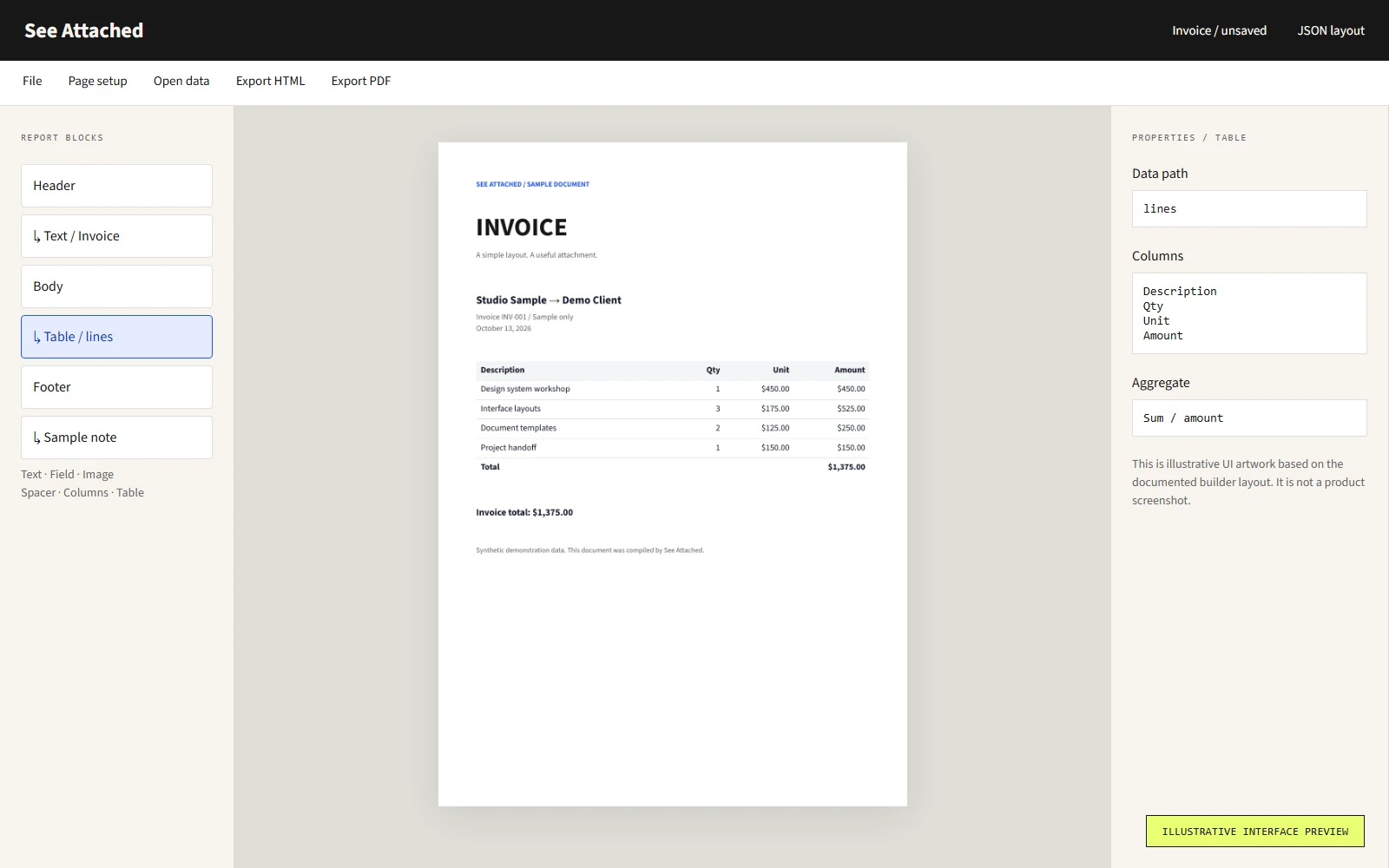
dotnet run --project src/ReportCreator.Builder- Open the invoice sample from the File menu, or start a new report.
- Set paper, orientation, and millimetre margins in Page setup.
- Add text, fields, images, spacers, columns, or a table to Header, Body, or Footer.
- Select a block to edit its properties; use Up and Down to reorder.
- Open a separate data JSON object to populate the preview.
- Save the definition as JSON or a
.rcreportzip; keep the data separately.
04 / View the result.
Blazor: compile, preview, print, export.
dotnet run --project samples/viewer-blazor --launch-profile httpOpen the sample at http://localhost:5250. It compiles the invoice and includes zoom, print, and Make PDF.
Next.js: display compiled HTML.
dotnet run --project samples/render-fixture
cd samples/viewer-next
npm install
npm run dev
Run npm inside samples/viewer-next. The Next.js sample displays the generated HTML; it does not bind data or offer PDF export.
05 / Give Chromium a home.
dotnet build tests/ReportCreator.Pdf.Tests
pwsh tests/ReportCreator.Pdf.Tests/bin/Debug/net10.0/playwright.ps1 install chromium
Install using an app or test output that contains Microsoft.Playwright.dll. The PDF class library output alone is insufficient. Export from the builder or the Blazor sample using the same .NET PDF library.
06 / Know the boundaries.
This is a flow-based report model, with one report header, body, and footer. It is not a pixel-perfect form canvas. Tables split by row, and printed table headings repeat.
v1 does not include grouping, charts, barcodes, rich text, expressions, RTL, repeated page header/footer bands, or page X of Y. Screen preview is one paper-width column; Chromium inserts page breaks during print/PDF export.
Read the full repository guide ↗ · Explore working examples · Read the MIT license