SAMPLE DOCUMENT / 02
These are real compiler outputs made from synthetic demonstration data. They are examples, not customer documents.
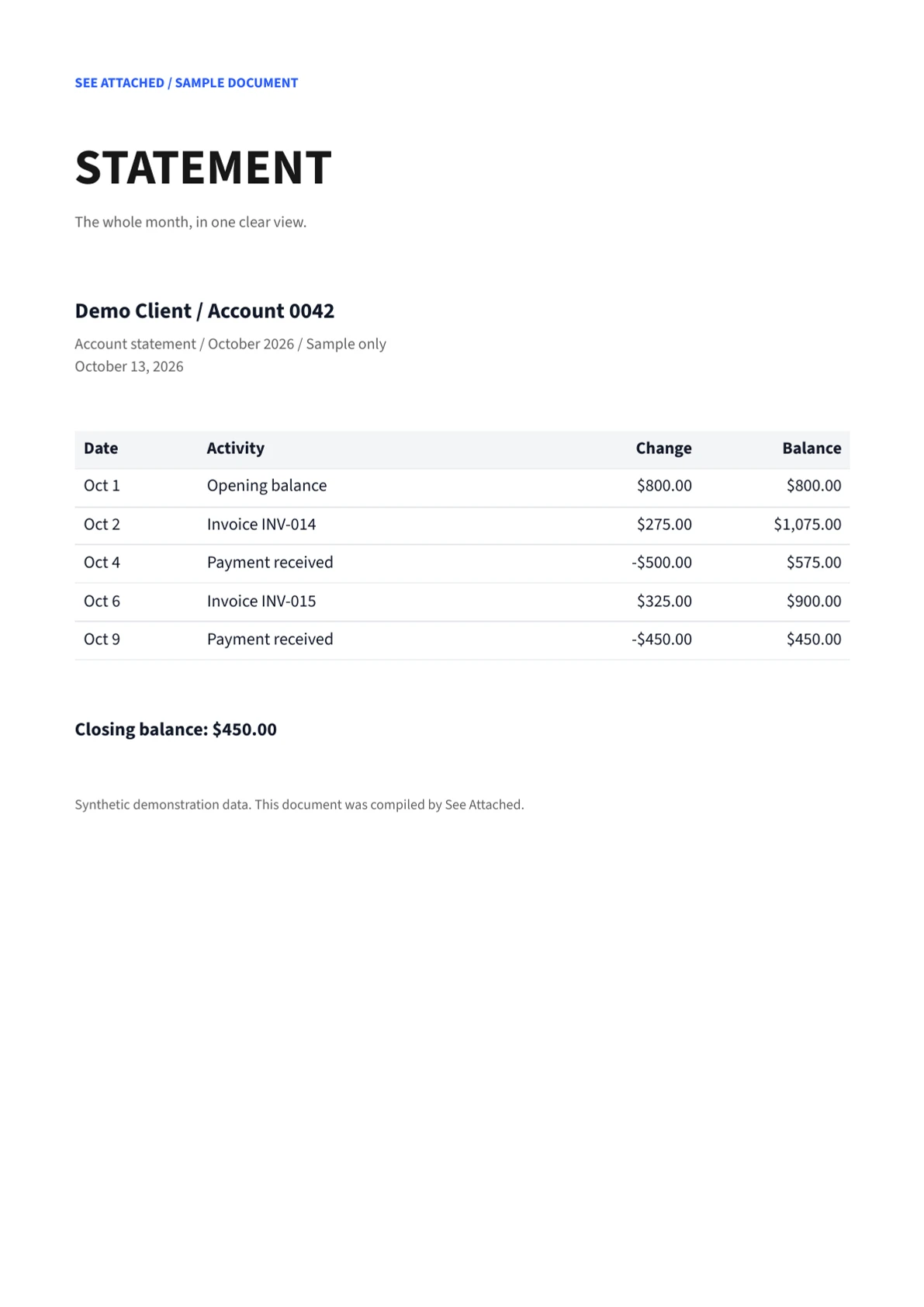
Separate the shape from the values.
The definition describes the document. The data supplies the values. Calculated values such as the running balance are supplied in the data; v1 does not evaluate expressions.
The table definition
{
  "type": "table",
  "id": "transactions",
  "dataPath": "transactions",
  "columns": [
    {
      "header": "Date",
      "path": "date",
      "format": "MMM d",
      "widthMm": 24
    },
    {
      "header": "Activity",
      "path": "description"
    },
    {
      "header": "Change",
      "path": "amount",
      "format": "C",
      "align": "right",
      "widthMm": 30
    },
    {
      "header": "Balance",
      "path": "balance",
      "format": "C",
      "align": "right",
      "widthMm": 30
    }
  ]
}
The sample data
{
  "document": {
    "recipient": "Demo Client / Account 0042",
    "reference": "Account statement / October 2026 / Sample only",
    "date": "2026-10-13",
    "closingBalance": 450
  },
  "transactions": [
    {
      "date": "2026-10-01",
      "description": "Opening balance",
      "amount": 800,
      "balance": 800
    },
    {
      "date": "2026-10-02",
      "description": "Invoice INV-014",
      "amount": 275,
      "balance": 1075
    },
    {
      "date": "2026-10-04",
      "description": "Payment received",
      "amount": -500,
      "balance": 575
    },
    {
      "date": "2026-10-06",
      "description": "Invoice INV-015",
      "amount": 325,
      "balance": 900
    },
    {
      "date": "2026-10-09",
      "description": "Payment received",
      "amount": -450,
      "balance": 450
    }
  ]
}
Try it in the builder.
Open the definition JSON, then open the matching data JSON in the Windows builder. The data is used for preview and is saved separately from the layout.